Do you need a copy of a past transaction receipt? Follow these simple steps to reprint it on your Pesapal POS terminal.
Step 1: Open the Pesapal App

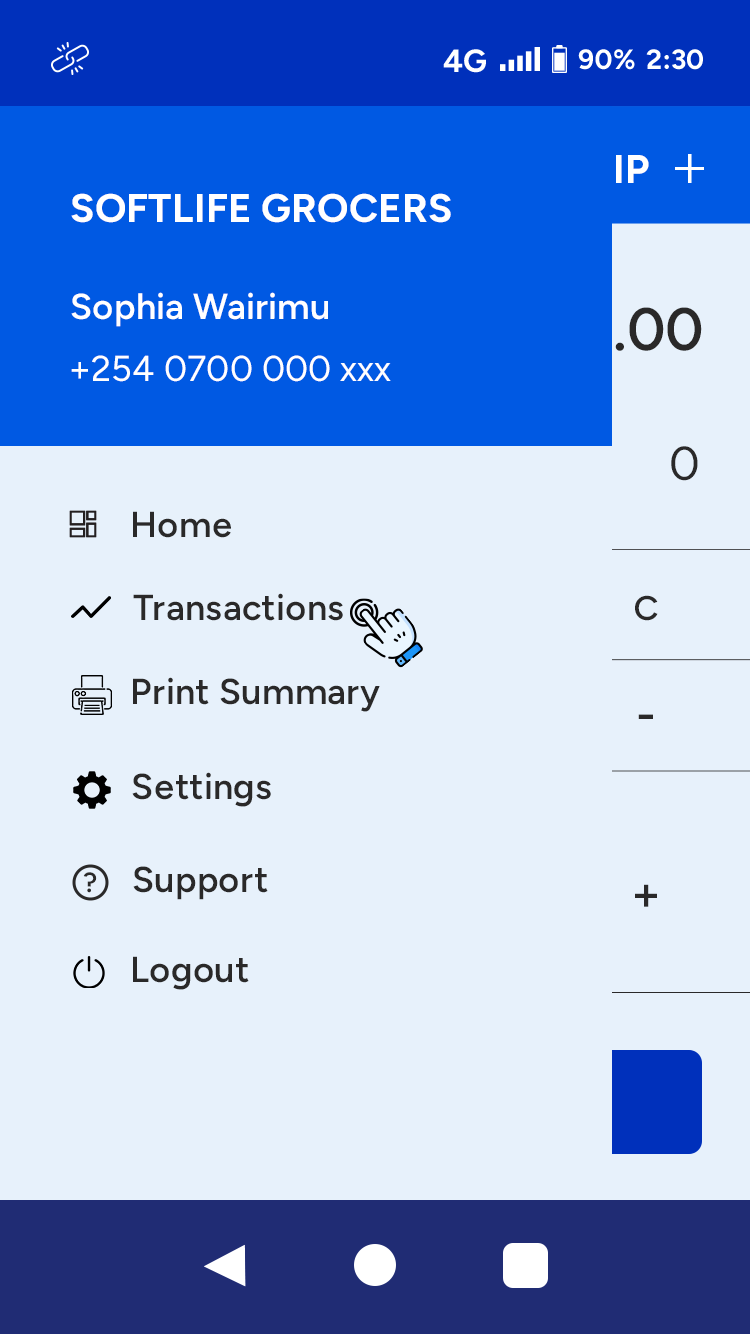
Step 2: Access Your Transactions
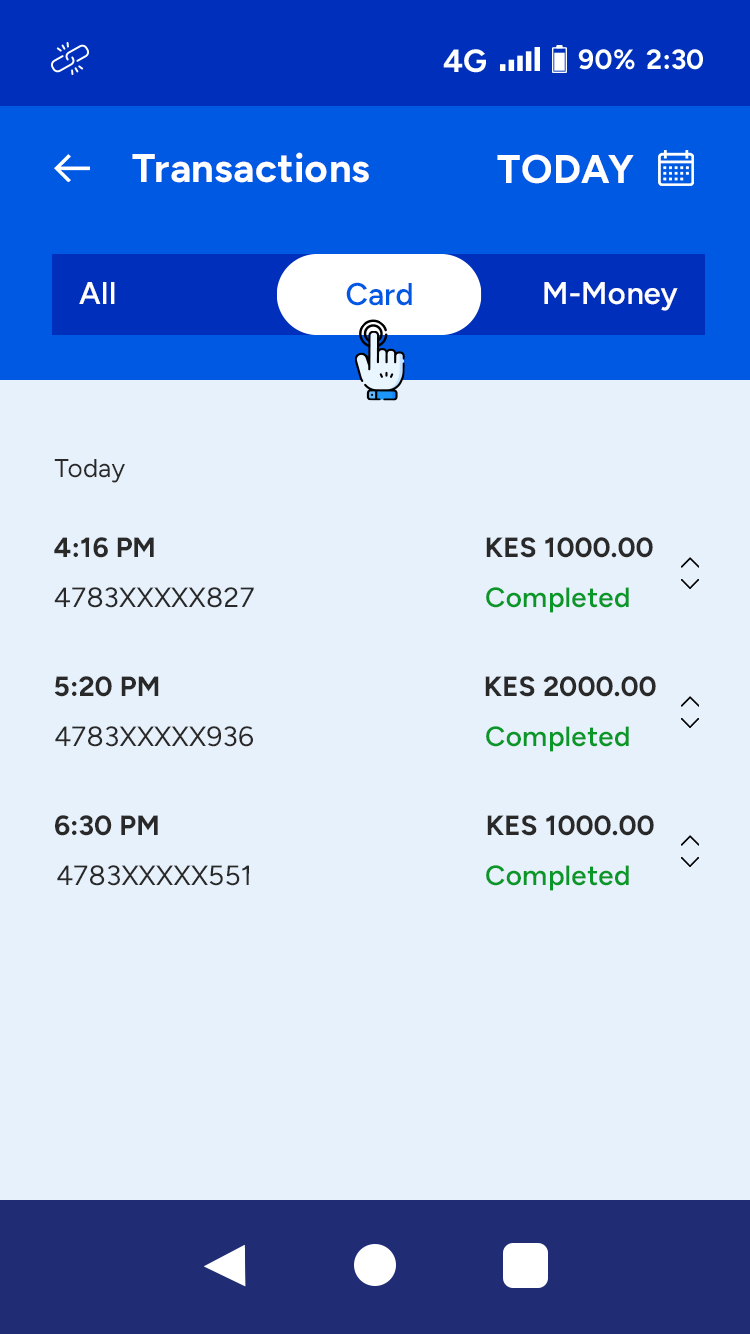
Step 3: Choose the Transaction
Step 4: Reprint the Receipt
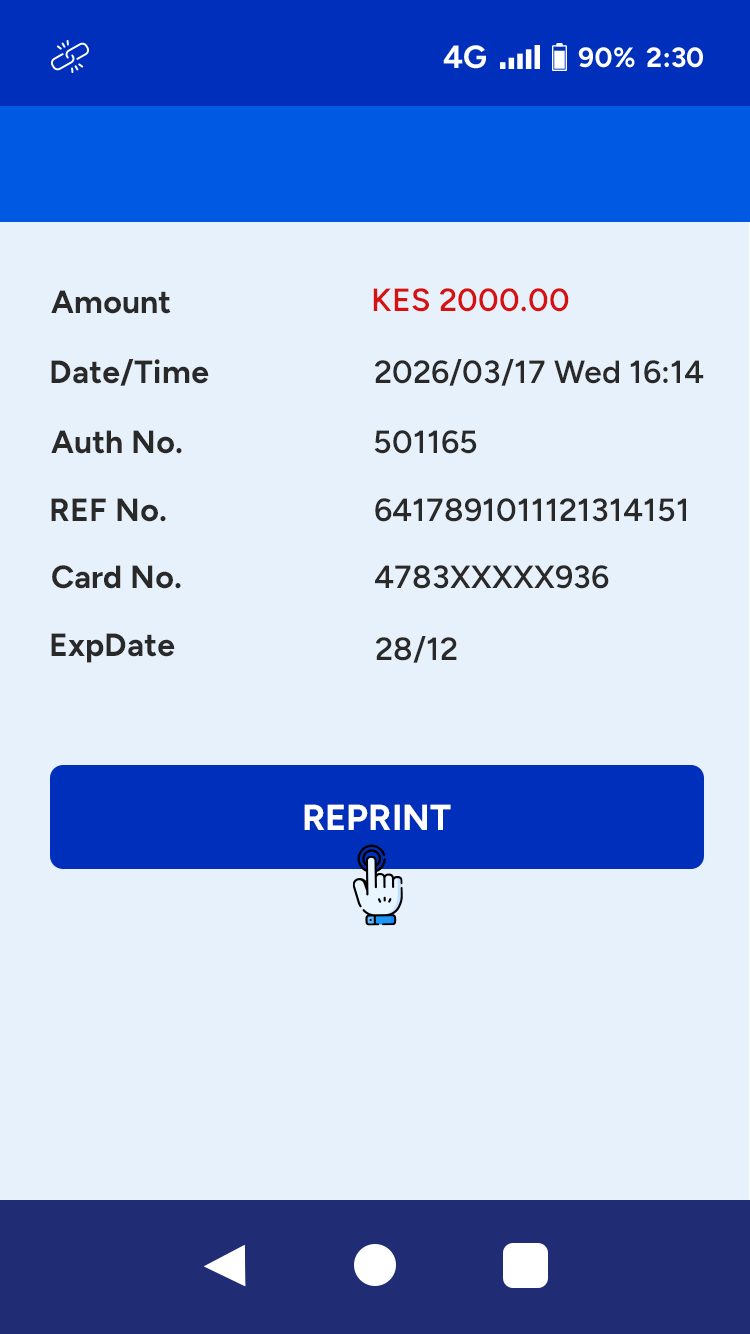
Note: The reprinted receipt will display “Duplicate” to indicate it is a copy of the original receipt.